
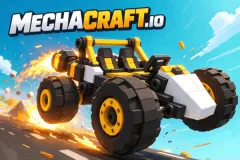
Mechacraft.io
Mechacraft.io is a browser-based sandbox game where you assemble blocks, wheels, and engines into machines and test drive them in a physical world. If your vehicle flips over, you just return it to the workshop for repairs; there are no penalties.




























Mechacraft.io is a 3D browser-based sandbox game. You play as the chief engineer, assembling blocks, wheels, and engines into a machine, then sitting in the driver's seat to test it out. The game has no mandatory blueprints and no fixed objectives, so the real question isn't what to build. The real question is what you learn each time the machine fails.
Why Does a Machine That Looks Solid Still Flip Over on the First Run?
The workshop lacks terrain for testing the chassis
In the workshop, all blocks are stationary, so any design appears balanced. When you get behind the wheel, the game simulates inertia, collisions, structural stresses, and how the wheels grip different surfaces. Only then is the weight distribution truly tested, and a seemingly perfect machine can still flip over on its first touch.
The engine and suspension must work together
The engine is the heavy block, and the suspension is the thing that holds that heavy block when the machine goes over uneven ground or turns corners. The two elements interact with each other. If the vehicle is tilting while cornering, you should check the position of the engine and suspension at the same time. Not just replace the wheels or add weight to the frame.
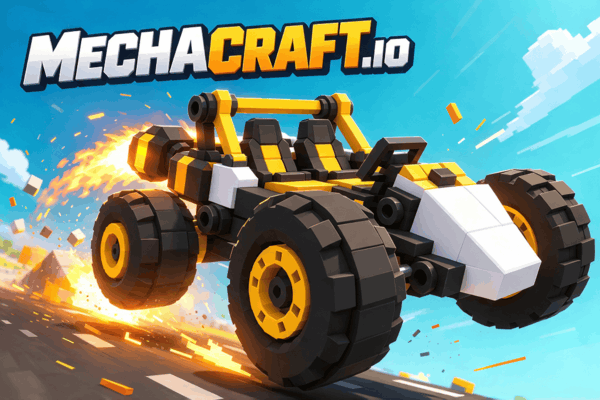
Mechacraft.io Rewards: What Kind of Fix?
A simple four-wheeled vehicle gives you the clearest answer
Walking robots or giant platforms have too many variables, so when they collapse, you don't know if the fault lies with the frame, wheels, or load. A four-wheeled vehicle shows how the weight of the engine and suspension affects the frame. That's knowledge you carry over to every subsequent design.
The troubleshooting loop costs nothing, so change things one at a time
You return to the workshop immediately after a vehicle failure and avoid penalties. Therefore, each run should be a deliberate test:
- Test drive and note where the vehicle tilts, vibrates, or breaks.
- Return to the workshop and only change one thing related to the fault just observed.
- Drive again to see if that change is correct or incorrect.
Changing three things at once might give you a working car, but you won't know which one fixed it, and you'll likely encounter the same error again next time. The toolkit allows you to place, rotate, flip, resize, and delete multiple blocks simultaneously, so minor fixes are quick. The R key rotates the block, holding T opens the tool wheel, and E puts you in the driver's seat.
When to Add Logic and Wiring
Logic gates are optional. They help the car respond correctly to your commands instead of just rolling forward. But they control the chassis, not repair it. If the car still flips when cornering, automation will only make it more controlled.
Connect the wires once the car is running smoothly on the terrain you usually test. That's when the control system makes a real difference between a car that just moves and one that obeys your commands. If your goal is simply a well-running car, you can skip this part entirely.
FAQs
Does Mechacraft.io have mandatory goals or blueprints?
No. You decide what to build, from practical vehicles to bizarre machines.
What should you build first in Mechacraft.io?
A basic four-wheel-drive vehicle. It helps you understand how the game distributes engine and suspension weight before adding complexity.
Is there a penalty for flipping or breaking a vehicle?
No. You go back to the workshop immediately, adjust the parts, and start again.
Is using logic gates mandatory?
No. This is an optional system for those who want more precise control.
What devices can Mechacraft.io be played on?
The game runs in a browser and only supports PCs.
What keys should you remember when you first start playing?
E to engage the driver’s seat or activate, B to open the inventory, T to open the tool wheel, R to rotate blocks, and keys 1 through 9, 0 to select quick access tiles.